


.webp?width=500&height=281&name=Employee%20Engagement%20Trends%202026%20(4).webp)
%20(2).png)
Every HR leader has lived this moment. A key leader gives notice, and the room goes quiet, because nobody has a clear answer for what happens next. That gap is exactly why succession planning software belongs near the top of your priority list.
It happens more often than most teams expect. Nearly one in three CEOs leave with little notice, according to research from Egon Zehnder. Boards feel that same uncertainty. Half (50%) of boards say succession planning started too late during their last CEO transition.
For HR, that uncertainty becomes your problem the moment it's real. You're the one fielding the panicked call and building a shortlist overnight. Then you're the one explaining to the board why there wasn't already a plan. The right succession planning software means that call doesn't have to catch you off guard. Succession stops being a once-a-year scramble. It becomes part of how you develop talent, all year round.
What is succession planning software?
Succession planning software helps HR and business leaders answer one question. If a key leader left tomorrow, who's ready to step in? Instead of a static list in a shared document, the software builds a living record for each critical role.
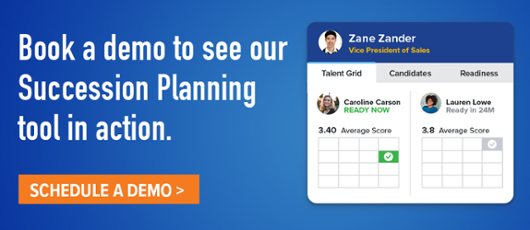
That record typically includes named candidates and their readiness level. It also includes their strengths, their development gaps, and notes from the people managing the plan. Many platforms plot candidates on a talent grid, too. The grid compares current performance against future potential, so leaders can see bench strength at a glance.
The best tools go a step further. They pull in data your organization already collects, like demographics, talent review ratings, development goals, and team engagement survey results.
Why do you need succession planning software?
Most organizations know succession planning matters. Far fewer actually have a plan. According to SHRM, only 21% of HR professionals have a formal succession plan in place. Another 56% have no plan at all. That gap becomes very real the moment a key leader resigns.
Research from Robert Half tells a similar story. 87% of organizations have some form of succession planning, but only 52% have a comprehensive, documented strategy. Having a rough idea of who might step up isn't the same as having a real plan. A real plan is one you can act on with confidence.
The cost of getting this wrong is measurable. Research from the Wharton School found that external hires are riskier bets. They're more likely to be fired, and more likely to leave voluntarily. They also cost more than internal promotions for equivalent roles. Every unplanned departure without a ready successor pushes you toward that riskier, costlier path.
There's a people cost too, and it's the one we hear about most from HR leaders. Without a visible path to growth, your strongest performers start wondering if they have a future with you. Succession planning software gives you a structured way to show them they do. It also gives your organization the continuity it needs to keep moving.
What are key features of succession planning software?
Not every tool that claims to "do succession planning" gives you the same depth. Here's what to look for:
- Readiness tracking that reflects real progress. Traditional succession tools group candidates into broad windows, like 1–2, 3–5, or 5–7 years. Those ranges are too broad to manage well. Tracking readiness in 12-month increments—Ready Now, Ready in 12, 24, or 36 Months, and On the Radar—works better. This makes it easier to see whether a candidate is actually progressing.
- Collaborative nomination. Succession has traditionally sat entirely with HR. But managers see day-to-day performance up close. A good tool opens nomination to any leader, and lets plan ownership extend beyond HR— functional leaders can own the plans for their own areas. Leaders can flag a candidate and add notes on that person's strengths and gaps. HR can still oversee nominations, without making HR the only source of input or the only one accountable for the plan.
- Connected data from across the platform. Readiness shouldn't be judged on individual performance alone. Tying succession to talent review scores, insights, and goals shows an ongoing pattern of growth, not a stale, one-time opinion. How well someone leads their team matters as much as their own output. The team engagement data should surface inside the succession record, not get pulled manually from another tool. That gives reviewers a fuller, more current picture of leadership readiness.
- Risk monitoring. A succession plan can go stale quietly if nobody's watching it. Warning signs include a critical role with no successor identified. Others are a role that's already sitting empty, or one candidate spread across multiple roles. Surfacing those flags automatically keeps succession actively maintained, not a spreadsheet built once and forgotten.
- Board-ready reporting. When a key leader leaves unexpectedly, HR needs to answer one question fast: who's ready to step in? Shareable, presentation-ready views mean that answer already exists. There's no scrambling to rebuild a deck from scratch for the board or the exec team.
10 questions to ask when evaluating succession planning software
Use these questions in demos and vendor calls. They'll help you cut through the noise and get to what actually matters.
- Can multiple people nominate and weigh in on a candidate? One person's view of "who's ready" is rarely the full picture.
- How is performance data brought into the plan? Ask specifically whether this requires a separate module or manual entry.
- Can you bring team engagement data into succession planning? Engagement scores can add useful context on how effectively a candidate is leading their team.
- Can you identify retention risk among succession candidates? Narrow in on candidates who may be at risk of leaving so you can take action before a succession gap emerges.
- How granular is access control? Confirm whether you can restrict specific plans, candidates, or demographic data to the right people.
- What does the talent grid look like, and can you customize it? Some organizations need a 9-box, others a simpler 4-quadrant view.
- How do you share plans with executives or the board? Ask to see the actual presentation experience, not just a screenshot.
- What's the setup process for a large or multi-division organization? Ask about import tools and how ownership gets assigned across teams.
- Does the tool link candidate gaps to a development plan or goal? Identifying a gap is only useful if it leads somewhere.
- What's included in support and onboarding? Succession planning touches sensitive data and sensitive conversations. You want a partner you can trust, not just a login.
Comparing 10 succession planning software systems
Quantum Workplace treats succession planning as one connected part of a broader talent platform. It syncs team engagement, talent review, and development goal data directly into candidate profiles, instead of treating succession as a standalone list. Here's how it compares to nine other established players in the space.
1. Can multiple people nominate and weigh in on a candidate?
- QW: Yes — we offer a flexible approach to meet a variety of organizations' needs:
- 1. HR access and management
- 2. Nominations, which allow you to seek input from managers, incumbents, or other leaders, without granting them access to a plan
- 3. The ability to assign owners outside of HR - so that plans are collaboratively maintained in partnership with leaders "closest" to the talent.
- Lattice: Collaborators can be added with view-only or edit access, which allows shared input, though it isn't a formal multi-nominator workflow with approvals.
- SAP SuccessFactors: Yes, formally — successors can be nominated by multiple people, and if more than one approver is set for an incumbent or position, only one approval is needed to confirm the nomination. Pending nominations sit in an approval queue on the Succession Org Chart until acted on.
- Cornerstone OnDemand: Not described as an open nomination workflow — access to the candidate search is "rights-driven" (permission-based), which implies controlled input rather than open nomination.
- PeopleFluent: Yes — "Multi-Rater Feedback" and a "Talent Assessment Workflow" are named as core features, allowing more than one rater's input into a candidate's assessment.
- Workday: Succession plans are typically owned by business leaders and maintained by HR, per customer usage patterns, but this isn't framed as an open, multi-person nomination process in Workday's own materials.
- TalentGuard: Structured succession reviews apply consistent criteria across evaluators, which implies multiple reviewers, but this isn't framed as an open nomination process.
- Leapsome: Not described as a nomination workflow — readiness comes from the competency framework and review cycle.
- iMocha: Not described as a nomination workflow — readiness comes from skills data rather than manager or peer nominations.
- Empxtrack: Yes — succession surveys let multiple stakeholders weigh in and recommend candidates for critical roles, with configurable rules on who can add roles.
2. How is performance data brought into the plan?
- QW: Auto-synced from talent reviews within the same platform — no manual entry, but you need to be running QW's /talent review tools.
- Lattice: Pulled automatically through Calibrations for anyone on the Performance module, at no extra cost — no separate purchase or manual entry required.
- SAP SuccessFactors: Performance data, learning completion, and compensation history all live in the same SAP system, so it flows in automatically.
- Cornerstone OnDemand: Ties into Cornerstone's own Talent Development and Workforce AI suite, so data flows within the same platform.
- PeopleFluent: Comes from their own Individual Talent Assessment and Review process and Multi-Rater Feedback, within the same platform — no separate module purchase required if you're on their Talent Management suite.
- Workday: Built on a single unified data model with no middleware, so performance and comp data flow in automatically since it's the same system.
- TalentGuard: Designed to normalize skills data across external systems (HCM, LMS, performance platforms) via a unified ontology, rather than requiring its own performance module.
- Leapsome: Pulled automatically from Leapsome's own performance review data within the same platform.
- iMocha: Draws on its own validated skills assessments and integrates with existing HCM/LMS/performance systems rather than replacing them.
- Empxtrack: Pulled from Empxtrack's own goal sheets, competencies, and appraisal results within the same platform.
3. Can you bring team engagement data into succession planning?
- QW: Yes — team engagement survey data is surfaced directly in the candidate profile alongside talent review scores and development goals. Bringing team engagement data into succession gives leaders a fuller picture of a candidate’s strengths, gaps, and readiness, rather than just stating that the data is there.
- Lattice: N/A
- SAP SuccessFactors: N/A
- Cornerstone OnDemand N/A
- PeopleFluent: N/A
- Workday: N/A
- TalentGuard: N/A
- Leapsome: N/A
- iMocha: N/A
- Empxtrack: N/A
This one is genuinely a QW differentiator — We did not find another vendor that publicly documents team engagement survey data being surfaced directly within the succession-planning candidate experience.
4. Can you identify retention risk among succession candidates?- QW: Yes — talent insights include context into retention risks alongside career-path conversations.
- Lattice: Yes — successors are explicitly tagged with an attrition-risk field alongside tenure and readiness.
- SAP SuccessFactors: Yes — the Joule AI copilot includes flight-risk identification alongside bench-strength analytics.
- Cornerstone OnDemand: Yes — their grid explicitly includes "probability of loss" and "impact of loss" as quadrant dimensions, not just performance and potential.
- PeopleFluent: Yes — predictive analytics flag employees likely to leave based on past trends, and their broader Talent Management suite ties in "risk analysis" for flight-risk flagging on top talent.
- Workday: Not explicitly framed as a per-candidate flight-risk flag in Workday's own succession materials, though customers report 24% lower voluntary turnover as an aggregate outcome.
- TalentGuard: Not named as a discrete flight-risk feature — the module's stated focus is readiness and governance, not retention risk specifically.
- Leapsome: Combines succession planning with retention risk management by using predictive analytics, engagement surveys, and performance data to spot flight risks before key leaders or high-potential employees resign
- iMocha: Not framed as flight-risk per candidate — iMocha's risk-related dashboards focus on skill decay/obsolescence risk rather than an employee's likelihood of leaving.
- Empxtrack: Yes — managers can explicitly flag employees as "At Risk" for timely retention action.
5. How granular is access control?
- QW: Yes — succession plans have scoped access for functional owners, plus customizable filters controlling what data others can see.
- Lattice: Yes, and quite granular — admins can configure Global Succession Planning Permissions as custom roles, scoped either company-wide (all employees) or targeted to a specific subset of employees, so a custom role owner only sees succession data for their assigned population.
- SAP SuccessFactors: Yes, very granular — Role-Based Permissions (RBP) separately control access to the Succession Org Chart, Talent Search, Matrix Grid reports, and Talent Pool management, each of which can require a defined target population. Separate permissions exist for who can nominate, who must approve, and who can only view.
- Cornerstone OnDemand: Yes — access to succession functionality (grid, snapshot, tasks, search) is gated by administrator-assigned permissions, and candidate search results are "rights-driven," meaning users only see candidates their permission level allows.
- PeopleFluent: Yes — described as offering "in-depth permissioning" and "granular permissioning and security role access" suited to matrix-managed, multi-layered organizations, plus SAML 2.0 SSO/MFA support.
- Workday: Yes — role-based access governs shared recruiting, training, transfers, and attrition data used in succession and talent planning, consistent with Workday's broader security-group model.
- TalentGuard: Role-based permissions are listed as a standard platform capability, though succession-specific granularity (e.g., restricting a single plan or demographic field) isn't documented in detail.
- Leapsome: Yes, and quite granular — a centralized "Feature Access Matrix" lets admins grant company-wide or targeted (subset-of-employees) access per module, including custom roles like HR Business Partner with limited visibility to specific teams or locations.
- iMocha: Yes — access control is listed as a core capability, with a role-based system that controls which options are displayed to different user types.
- Empxtrack: Yes — role-based access control is a documented platform-wide feature, though succession-specific scoping (e.g., per-plan or per-demographic-field restrictions) isn't detailed beyond that.
6. What does the talent grid look like, and can you customize it?
- QW: In QW, you can see the talent grid at the individual candidate view, and at a comparison level across candidates for a role. We also support a customized grid (commonly either 9-box or 4 quadrant).
- Lattice: No grid is described — readiness and risk are shown as tags within Calibrations rather than a grid.
- SAP SuccessFactors: Yes — a configurable 9-box matrix grid, offered in both performance/potential and "how vs. what" views, with permission-controlled access to the report itself.
- Cornerstone OnDemand: Yes — a configurable, color-coded grid with robust filters (shown with performance, potential, impact of loss, and probability of loss as dimensions).
- PeopleFluent: Yes — they xplicitly lists "Calibration ('9-box') Sessions" as a core succession feature, alongside drag-and-drop scenario modeling.
- Workday: No dedicated grid is described in Workday's own succession materials — talent cards and search reports are used instead.
- TalentGuard: Deliberately moves away from grids — their framing explicitly critiques the "annual review, 9-box exercise" model in favor of continuous readiness scores.
- Leapsome: Yes — a 9-box view is built into the performance review cycle.
- iMocha: No grid — readiness is shown as high/medium/low snapshots instead.
- Empxtrack: Yes — both 9-box and 12-box grid options are available.
7. How do you share plans with executives or the board?
- QW: Yes, in detail — a dedicated presentation mode with dynamic charts and candidate profiles, secure shareable links, and customizable access filters for what others can see.
- Lattice: Collaborator access exists.
- SAP SuccessFactors: Yes, to a degree — the Succession Org Chart supports "live slides" that can be added, reordered, or deleted for presentation purposes.
- Cornerstone OnDemand: Not mentioned.
- PeopleFluent: Has general "robust reporting and analytics" for succession preparedness.
- Workday: You can share succession plans by configuring role-based access, assigning specific security permissions like Succession Partner or Manager roles, and utilizing collaborative scenario modeling features.
- TalentGuard: Yes — board-ready succession reports and a "Talent Insights" layer are explicitly built to provide board-ready intelligence backed by a full audit trail.
- Leapsome: Not mentioned.
- iMocha: Dashboards exist for readiness snapshots and workforce analytics.
- Empxtrack: Not mentioned.
This remains one of the clearer differentiators — QW and TalentGuard are the only two with a named, described executive-sharing experience; the rest either don't document one or (SAP) offer something adjacent but not board-specific.
8. What's the setup process for a large or multi-division organization?- QW: Multiple succession plans can be created with scoped access assigned to specific leaders per function.
- Lattice: Generally, requires a two-week implementation period for platform onboarding, followed by 1 to 8 months to fully build out and strategize your company's succession framework.
- SAP SuccessFactors: Implementation commonly runs six to twelve months. Setup includes choosing a nomination method (position-based vs. role-person) and, for larger orgs, configuring MDF positions with system sync or import. Successors and position data can be bulk-imported/exported via CSV templates through Admin Center, and full data exports require reporting permissions across all divisions, departments, and locations.
- Cornerstone OnDemand: Deploying Cornerstone Succession requires significant configuration to align the system with org structures, competency models, and succession methodologies — implementation commonly extends several months and requires dedicated IT and HR resources, with a real learning curve for admins configuring workflows and permissions.
- PeopleFluent: Batch data transfers use secure SFTP (with optional PGP encryption); implementation includes consultative training tailored to your specific needs, both during setup and after go-live.
- Workday: Enterprise-scale, single-data-model architecture reduces integration complexity, but implementation timelines and cost still match a full HCM rollout.
- TalentGuard: Role and skill standards are configured up front before any candidate is evaluated, implying a structured setup process; deployment can be phased (starting with skills mapping before expanding into succession), but import tools and multi-division ownership assignment aren't detailed.
- Leapsome: "Many customers go live in weeks," suggesting a lighter setup burden, though multi-division ownership assignment isn't detailed.
- iMocha: Designed to integrate with existing ATS, LMS, and HRIS systems rather than replace them, which can lighten setup — ownership assignment isn't detailed.
- Empxtrack: Succession plans and timelines are configurable with flexibility to add roles and candidates, and the platform integrates via Web API with systems like ADP — multi-division ownership assignment isn't detailed beyond this configurability.
9. Does the tool link candidate gaps to a development plan or goal?
- QW: Yes — development goals and coaching notes are integrated directly into the succession workflow.
- Lattice: Development history is visible through Calibrations alongside growth areas, but an explicitly linked gap-to-goal workflow isn't described as clearly as in other platforms.
- SAP SuccessFactors: Yes — AI-assisted successor insights are designed to surface gaps, and SAP's broader Career and Talent Development offering ties skills data to development goals.
- Cornerstone OnDemand: Yes — Cornerstone Succession explicitly ties succession plans to "implement development plans to bridge" identified skill gaps, connecting gaps to specific learning content through the platform's broader learning suite.
- PeopleFluent: Yes — gap analysis explicitly feeds into building a succession plan that offers the development employees need to close those gaps.
- Workday: Yes — Career Hub delivers personalized upskilling/reskilling recommendations tied to identified skills gaps.
- TalentGuard: Yes, explicitly — Individual Development Plans (IDPs) are generated and aligned to gap closure, with development velocity tracked over time.
- Leapsome: Yes — individual development plans track progress against succession readiness criteria, generated from competency framework gaps.
- iMocha: Yes — targeted development actions and personalized learning paths are recommended directly from identified skill gaps.
- Empxtrack: Yes — development plans (promotions, transfers, qualification-based development, training) are explicitly built around preparing identified successors.
10. What's included in support and onboarding?
- QW: A dedicated customer success team for strategic guidance, ongoing coaching, help center, webinars and technical support alongside the platform. We also have an Insights Analyst team who are subject matter experts and strategic partners who helps organizations make sense of their employee survey data.
- Lattice: Help Center, Lattice University courses, and contact support are available, though not described as succession-specific.
- SAP SuccessFactors: Enterprise implementations are typically consultant-led given the six-to-twelve-month timelines; SAP also offers a Joule-for-Consultants AI copilot to support implementation teams.
- Cornerstone OnDemand: Customer Success programs, a user community, and events/user groups are part of the broader Cornerstone offering.
- PeopleFluent: 24/5-monitored Zendesk case management, inbound phone support, and "Rapid Assist" in-context training/coaching videos plus live and on-demand webinars and self-directed eLearning tutorials, both during implementation and after go-live.
- Workday: Deployment services, training and certifications, and formal "Success Plans" are offered as part of the broader platform.
- TalentGuard: In-person training, live online sessions, webinars, documentation, and instructional videos are all listed as onboarding formats.
- Leapsome: A "Customer Experience" onboarding/support function and a self-serve Success Center are both available.
- iMocha: A 24/7 support team is available at every stage, per third-party review sources.
- Empxtrack: Explicit 24/7 support — online help, a product guide, self-training tutorials, and (per customer testimonials) a dedicated account manager.
No platform on this list is the right fit for every organization. The best choice depends on what you want succession planning to be. For some teams, that's a standalone specialty. For others, it's part of a full HCM suite, or connected to the engagement and performance data you already collect.
Why choose Quantum Workplace for succession planning?
Quantum Workplace builds succession planning on data you already collect. That's a different starting point than a standalone tool you have to feed by hand.
Talent review scores, development goals, and team engagement data sync automatically into each candidate's profile. You don't need a separate analysis to see how a candidate's team is doing under their leadership. That signal shows up right on the candidate card.
The nomination workflow gives you more than one point of view. You can invite an incumbent, a manager, or any other stakeholder to nominate someone for a role. Plan owners review every nomination before a candidate is added, so no one learns they're under consideration too soon.
You also get flexibility instead of one rigid framework. Choose a 9-box grid or a 4-quadrant view, whichever matches how your organization already talks about talent. Presentation mode turns that data into a filtered, shareable view for executive or board conversations, no slide rebuild required.
Succession doesn't stop at identifying a gap. Development goals connect directly to each candidate's profile, so you can see whether someone is closing the gaps you've flagged. Functional leaders can own their own plans, and diversity visibility is built in when the organization provides the data.
In short, Quantum Workplace gives you:
- One connected view. Engagement, performance, and development data sync into every candidate automatically.
- Built-in nominations. Multiple stakeholders weigh in, and plan owners control what actually gets confirmed.
- Flexible talent grids. Choose 9-box or 4-quadrant, matched to how your org already talks about talent.
- Board-ready presentation mode. Share a filtered, live view with executives or the board, without building a new deck.
- Development tied to succession. Candidate gaps connect to real growth, not just static notes.
None of this replaces good judgment. It just means less time assembling data, and more time acting on it.
Frequently asked questions
What size company needs succession planning software? Any organization with roles where an unplanned departure would disrupt the business. That often starts well below the C-suite. A manager with deep technical knowledge can be just as critical as an executive.
How is succession planning different from talent management? Talent management covers the full employee lifecycle, including hiring, development, and performance. Succession planning is a focused piece of that, specifically about readiness for critical roles.
How often should we update our succession plan? Treat it as a living document, not an annual project. Most organizations review readiness levels and candidate data on a regular cadence, then let owners maintain it in between.
Do employees know they've been nominated as a successor? That's an organizational choice, not a system requirement. Most Platforms keep succession plans directly accessible by the critical leaders who need to maintain them. How and whether they communicate to potential candidates about their place on the plan varies from organization to organization. For orgs that are transparent, it's always wise to ensure candidates realize they are highly valued, but also one of a number of candidates in line for a potential role (so that nothing is perceived as promised).
Can succession planning software integrate with our existing HR tools? It depends on the platform and whether performance and engagement data already live in the same system. Ask vendors directly how data flows in, and whether that requires an additional module.
What does succession planning software cost? Pricing varies widely by platform, company size, and whether succession is bundled with a broader talent suite. Get a quote based on your specific headcount and the modules you actually need.
Ready to see what connected succession planning looks like in practice? Explore Quantum Workplace's succession planning tools and see how your plans could connect to data you already have. You don't have to start from scratch.
Note: The information presented on this page is sourced from third-party review sites, vendor websites, and user reviews. While we strive to ensure accuracy, product features, integrations, and capabilities may change over time. We encourage readers to verify details directly with the respective vendors before making a purchase decision. If you notice any discrepancies or outdated information, please contact us at marketing@quantumworkplace.com so we can update our content accordingly.